Voice GPS Map Navigation Route
Galaxy studio appsMaps & Navigation
4.616.00 Reviews
- Version
- 2.1.0
- Installs
- 100.00K
- Age Rating
- Everyone
Screenshots
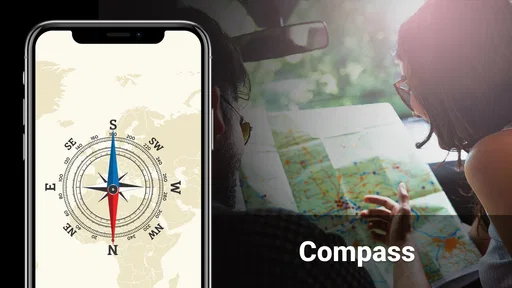
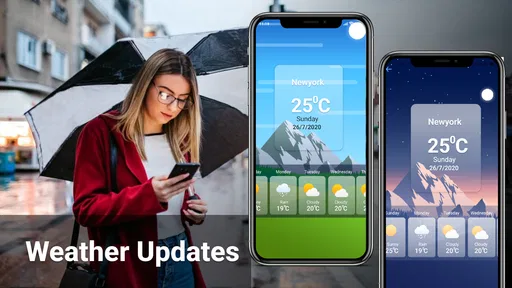
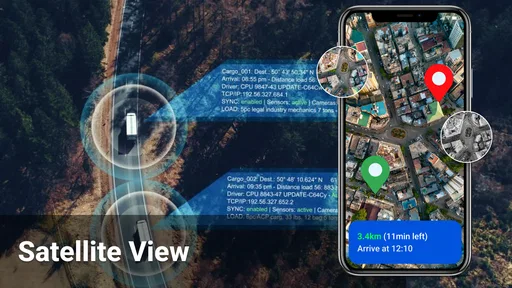


Our Review of Voice GPS Map Navigation Route
 Analysis by Appyee
I approached Voice GPS Map Navigation Route as a practical navigation app rather than something I would open just to browse maps. Its purpose is straightforward: help me plan a journey, follow a route with spoken guidance, view mapping information, and keep an eye on traffic while I travel. That combination makes it appealing to someone who wants a simpler alternative to a more crowded navigation suite.
The app is free to install and is aimed at everyone, which makes the first step feel low-risk. It comes from Galaxy studio apps and sits in the Maps & Navigation category. Its average rating is 4.6 from over 900 ratings, while its total reach has passed 100 thousand installs. Those figures suggest that it has found an audience, although I would still treat it as a tool to test on familiar roads before trusting it for an important trip.
My overall impression is positive, with one important qualification: a navigation app is only as useful as the route information and map behavior I can rely on at the moment I need it. This app gives a clear starting point for voice-guided travel, but it is best approached as a focused navigation option rather than an automatic replacement for every established mapping service.
Getting from installation to a useful route
I’d begin by treating the first route as a calm trial rather than a test under pressure: choose a familiar destination, check the starting point and final approach, then listen for how the spoken guidance fits your habits. That gives me a useful baseline before relying on the app somewhere new. Once the basic flow feels comfortable, I can judge whether its map and traffic view add enough to my usual routine.
What the first launch feels like
For a first-time user, the most helpful way to think about the app is as a sequence of small tasks. I would not begin by exploring every map option. I would start by deciding where I am going, entering that destination, checking the proposed route, and only then beginning navigation. That order reduces confusion and makes it easier to notice whether the app is behaving as expected before I am moving.
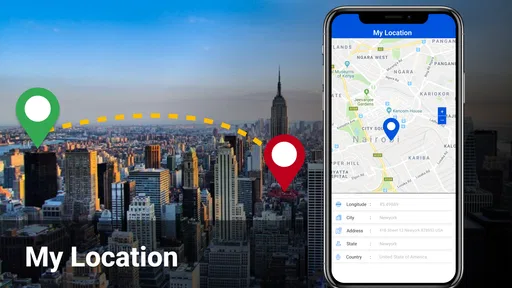
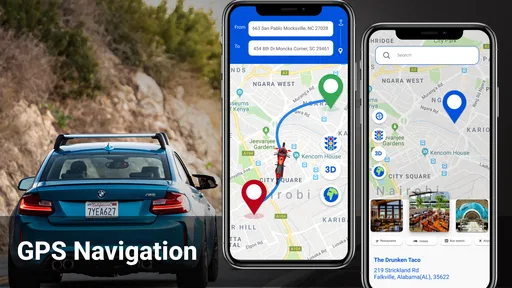
The store summary highlights live Earth maps, traffic updates, and voice navigation routes. In practical terms, that points to three different jobs: looking at the surrounding area, judging the road situation, and following spoken instructions. I found it useful to keep those jobs separate in my mind. The map view is for orientation, traffic information is for deciding whether a route still makes sense, and voice guidance is for keeping my attention away from the screen once I am underway.
The short description, “Voice GPS Map,” also captures the app’s strongest identity. Voice guidance is not merely a decorative extra here. It is the feature that can make the difference between checking the phone repeatedly and glancing only when I need visual confirmation. For walking, driving, or finding an unfamiliar entrance, that distinction matters.
Setting it up without overcomplicating the process
I recommend opening the app while stationary and giving yourself a moment to understand the map before entering a destination. A first setup made in a hurry can lead to avoidable mistakes, especially if the map is centered somewhere unexpected or the route begins from the wrong position. Confirming the starting point visually is a small habit, but it prevents a surprising amount of frustration.
The app runs on Android six and later, so it is available to people using older compatible phones as well as newer devices. The current version is 2.1.0. I would still make sure the phone itself has enough battery for the journey and that the device can maintain a dependable location signal. Those are not glamorous preparations, but navigation apps are not a substitute for a ready phone.
Because the application includes in-app purchases ranging from $0.99 to $99.99 per item, I would pay attention to any upgrade or purchase prompt during setup. The basic download is free, which is convenient for testing, but free installation does not automatically mean every option inside the app is included. My advice is simple: use the free experience first, understand what you actually need, and avoid buying anything merely because it appears during the first session.
The first successful action
The first meaningful success is not simply seeing a map. It is entering a destination, receiving a route, and following the first spoken instruction without needing to stop and troubleshoot. I would test this on a short, familiar journey. That gives me a reference point: I already know the roads, so I can concentrate on how clearly the route is presented and whether the voice prompts arrive at useful moments.
Before pressing the button to begin, I would inspect the route visually. A quick look can reveal whether the suggested path uses an unexpected turn, takes me through a road I prefer to avoid, or approaches the destination from an inconvenient side. Even when an app offers traffic information, I do not assume that the fastest-looking option is automatically the best one for my needs.
Once navigation starts, I would keep the phone mounted where it can be seen safely without becoming a distraction. Voice instructions are most valuable when I let them do their job. I only need the display for context, such as checking the next major turn or confirming that the route is still active after a change.
A useful test is to make one deliberate, harmless deviation on a familiar road, such as continuing past a turn when it is safe to do so. This lets me see how the app responds to being off the original path. I would never perform this test in traffic or somewhere unfamiliar, but it is a sensible way to learn the app’s behavior before depending on it for a long trip.
How I would use traffic information
Traffic updates are most useful before departure, not only after I am already stuck. I would check the route while deciding when to leave, then compare the suggested path with the roads I know. Live information can improve a journey, but it should support my judgment rather than replace it. A local road may look slower on the map yet be more predictable, while a major road may be vulnerable to a delay that changes quickly.
There is also a practical trade-off between information and attention. If I keep switching between traffic layers, route views, and other map details while driving, I lose the simplicity that makes voice navigation helpful. I prefer to make the main decision before moving, start the route, and use spoken guidance afterward. This is one of the easiest ways to get value from the app without turning the phone into a constant distraction.
Common points of confusion
One likely source of confusion is the difference between a map that displays my surroundings and a route that actively guides me. Seeing my position on a map does not necessarily mean that navigation has started. I look for a clear route line and spoken directions before assuming the app is guiding me. If I am unsure, I stop and check rather than continuing on the basis of a moving marker alone.
Another issue is destination precision. A broad place name may lead to a general area rather than the exact entrance I need. For a large building, shopping area, campus, or public venue, I would review the final approach carefully. The last part of a journey can be more important than the long stretch of road, especially when I need a particular entrance, parking area, or pickup point.
Traffic coloring can also be easy to overinterpret. A highlighted road gives useful context, but it is not a promise that the route will remain unchanged throughout the journey. Conditions move, and the best choice can depend on the time I leave. I use traffic information as a reason to compare options, not as a guarantee of arrival time.
Voice guidance deserves a little adjustment time too. I prefer to listen for the instruction and then confirm it with the map when the road layout is complicated. If the phone is in a noisy vehicle or the volume is too low, a voice route can feel unreliable even when the underlying directions are clear. Testing the audio on a familiar trip helps separate an app problem from a phone-volume problem.
Small habits that make the app more useful
My first practical tip is to prepare the route before pulling away. Enter the destination, inspect the opening turns, and begin only when the screen is stable. This is safer and also gives the app time to establish the journey instead of forcing me to make decisions while moving.
My second tip is to use a short familiar route as a calibration exercise. It lets me learn how the app announces turns, how much visual checking I prefer, and how it reacts if I leave the suggested path. That knowledge is more valuable than immediately testing it on an airport run or an unfamiliar highway.
My third tip is to treat the final approach as its own navigation problem. I would zoom or inspect the destination area before arrival, particularly when the address is inside a large complex. Many navigation frustrations happen after the main drive has gone perfectly, simply because the user assumes reaching the correct street means reaching the correct door.
A fourth useful habit is to make route decisions while stopped. If traffic changes and I want to compare alternatives, I would pull over safely before interacting with the map. This preserves the app’s main benefit—reducing screen dependence—instead of turning it into another source of distraction.
Where it fits against familiar alternatives
The usual alternatives in this category often try to do much more than navigation. They may combine maps with business listings, reviews, saved places, public transport planning, location sharing, or a large ecosystem of connected services. That breadth can be valuable, but it can also make the experience feel busy when all I want is a route and spoken instructions.
This app’s appeal is its focused identity. Someone who mainly wants voice-led travel and a map view may appreciate not having to sort through unrelated tools. The traffic and Earth-map elements also give it more practical depth than a basic turn list. I can use it for a quick look at the area, then move into route guidance when I am ready.
On the other hand, I would choose a more established all-purpose mapping service when I need a broader set of connected travel features or when I already depend heavily on saved locations and a familiar account-based workflow. I would also compare results on a long or high-stakes trip rather than assuming that one navigation app will always make the best choice. The right option depends on whether I value focused guidance or a larger travel platform.
Who should try it, and who should skip it
I think the app is a good fit for a person who wants a straightforward voice GPS experience, occasional traffic awareness, and a map that can help with everyday journeys. It may suit a new driver who wants spoken support on familiar roads, a traveler checking an unfamiliar area, or someone who prefers a dedicated navigation screen instead of a general-purpose map service.
It is less suitable for someone who expects navigation to solve every travel need in one place. If your routine depends on extensive place discovery, detailed travel planning, or a deeply integrated collection of saved destinations, a broader alternative may feel more comfortable. I would also avoid making this my only preparation for a remote or especially important journey. A sensible traveler keeps the destination details available and knows the route well enough to recover if the phone, signal, or guidance becomes inconvenient.
The age rating is Everyone, which makes the app approachable for a wide audience. Still, an accessible rating does not remove the need for responsible use. The person operating the vehicle should not type, browse, or compare routes while driving. I see the strongest use of this app as a setup-then-listen routine, with visual checks made only when safe.
My conclusion after using it as a daily navigation tool
The best reason to choose Voice GPS Map Navigation Route is its clear focus on getting me from a starting point to a destination with spoken help. The free entry point makes it easy to test on short trips, and the combination of maps, traffic context, and voice routes gives it more usefulness than a simple static map. Galaxy studio apps has positioned it as an everyday navigation app rather than a specialist planning tool, and that is where I think it makes the most sense.
I would begin with a familiar journey, check the route before moving, listen to the instructions, and learn how the app handles a harmless detour. After that first successful trip, I would decide whether the map presentation and traffic information fit my habits. This gradual approach answers the questions that matter most: can I understand the route, can I hear the guidance, and does the workflow feel comfortable on my phone?
The purchase range inside the app is worth keeping in mind, particularly for users who want to stay entirely within the free experience. I would not pay for an option until I had identified a specific need for it. For many people, the core appeal will be the ability to try a voice-guided route without an upfront charge.
My recommendation is therefore measured but favorable. Try it if you want a focused Maps & Navigation app and are willing to validate it on ordinary roads first. Keep a broader mapping alternative in mind when you need a complete travel ecosystem, and use your own judgment whenever traffic, destination accuracy, or phone reliability becomes uncertain. Used that way, Voice GPS Map Navigation Route can become a practical companion for routine journeys without pretending to replace every navigation tool.
Verdict
Strengths of Voice GPS Map Navigation Route
- Clear turn-by-turn voice directions help keep attention on the road.
- Live route updates can help avoid traffic and unexpected delays.
- Multiple map views make streets and landmarks easier to identify.
- Useful for planning routes before starting a trip.
- Location search makes finding nearby places quick and convenient.
Limitations of Voice GPS Map Navigation Route
- Accuracy can vary in rural areas or where map data is outdated.
- Continuous GPS use may noticeably reduce battery life.
- Voice guidance may be distracting in noisy or busy environments.
- Some features may require an internet connection or mobile data.
- Ads or premium prompts can interrupt the navigation experience.
Other Releases by Galaxy studio apps
View All
GPS Photo: With Location & Map
Travel & Local4.2

ArtFonts: Stylish Text
Personalization4.6

Word Office: Docs Reader
Productivity4.8

Credit Card : Wallet & NFC
Finance4.6
Similar Picks in This Category
View All
Uber - Request a ride
Uber Technologies, Inc.4.7


inDrive. Rides with fair fares
® SUOL INNOVATIONS LTD4.8

Yandex Go: Taxi Food Delivery
Mikromobilnost LLC Belgrade4.8

Bolt: Request a Ride
Bolt Technology4.8

Rapido: Bike-Taxi, Auto & Cabs
Rapido Bike Taxi4.8
Frequently Asked Questions
What is Voice GPS Map Navigation Route, and how does it work?
Voice GPS Map Navigation Route is a navigation app designed to provide turn-by-turn driving directions using GPS and spoken voice guidance. After entering a destination, the app calculates a route and displays it on a map while announcing upcoming turns, road changes, and other navigation instructions. It is intended to make driving easier by reducing the need to constantly look at the screen.
Does Voice GPS Map Navigation Route work without an internet connection?
The app’s offline capabilities may depend on the version and the map data available on your device. GPS positioning itself can work without mobile data, but route searches, live traffic information, updated maps, and some destination details may require an internet connection. Before traveling to an area with poor coverage, users should check whether maps can be downloaded or whether previously calculated routes remain available offline.
Can I use voice navigation while driving?
Yes, voice guidance is one of the app’s main features and is designed to provide spoken instructions while you drive. It can announce turns and route changes so you do not need to watch the display continuously. However, drivers should set the destination before moving, use a secure phone mount, obey local traffic laws, and treat the app as an aid rather than a replacement for road signs or careful attention.
Does the app provide live traffic updates and alternative routes?
Depending on the installed version, region, and available permissions, Voice GPS Map Navigation Route may offer route planning features such as estimated travel time, route previews, and alternative directions. Live traffic updates generally require an active internet connection and reliable location access. Users should review the app’s current feature listing because traffic coverage, rerouting behavior, and map data quality can vary between countries.
What permissions and phone settings does Voice GPS Map Navigation Route require?
For navigation to work correctly, the app normally needs access to your device’s location services, and it may request permission to use mobile data, notifications, or background activity for voice instructions and route updates. Battery-saving modes can interrupt GPS tracking or spoken guidance, so these settings may need adjustment. Review each permission carefully and enable only the access required for the features you plan to use.
